Assistant System Overview¶

What you'll learn
- The eight blocks of a production AI assistant — intake, understand, retrieve, generate, validate, persist, monitor, escalate
- Which block is code, which is the model, which is RAG, which is an external system
- How to draw your own assistant's architecture on a single page
1. "Assistant = one prompt" is wrong¶
Many beginners picture this:
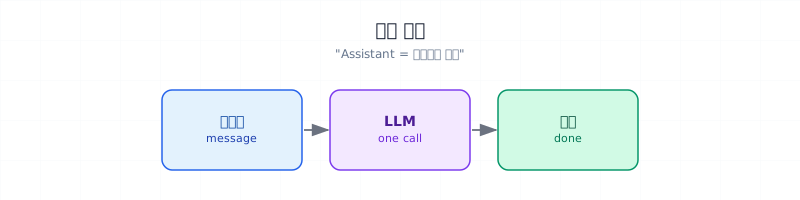

Fine for a demo. Falls over in production almost every time.
A real assistant is a coalition of blocks with different responsibilities. Some are code, some are model calls, some are external systems.
2. The eight blocks¶
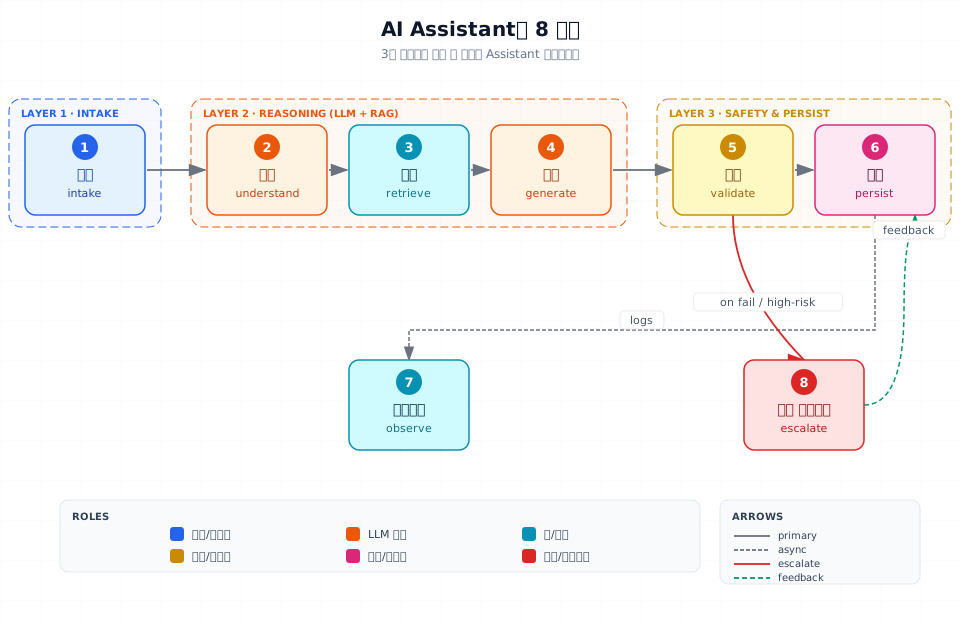
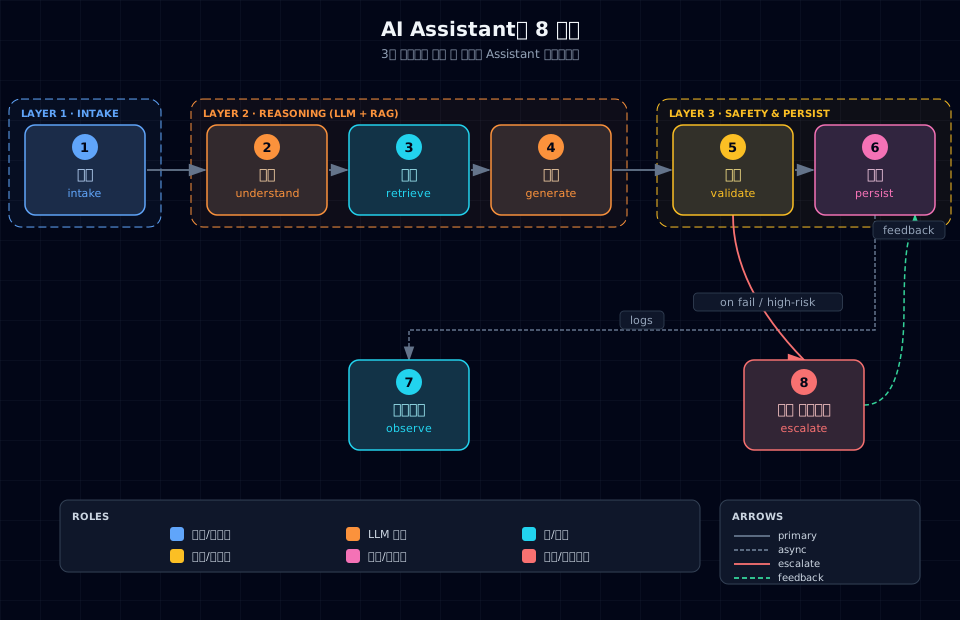
Looks linear, but real flows branch and loop. If 5️⃣ validation fails, you go back to 4️⃣ generation. If 2️⃣ understanding is uncertain, jump straight to 8️⃣ human handoff. Stored logs feed a monitoring/feedback loop that fuels self-improvement (capstone territory).
3. What's inside each block¶
1️⃣ Intake¶
| Item | Content | Implementation |
|---|---|---|
| Receive message | Text, voice, image | Code (API endpoint) |
| Handle attachments | PDF, image, files | Code + parser libs |
| Identify session | User and conversation IDs | Code (session store) |
| Rate limit | Per-user call frequency | Code (Redis, middleware) |
| Sanitize input | Length cap, encoding, pre-validation | Code |
Key: this block is almost 100% code. Don't put a model here.
2️⃣ Understand¶
| Item | Content | Implementation |
|---|---|---|
| Intent classification | "Is this a refund or a policy question?" | LLM (Part 2) |
| Entity extraction | Dates, order IDs, amounts | LLM with structured output |
| Language detection | Pick the response language | Rule or model |
| Sensitivity classification | Blocked keywords, tone | Rules + moderation API |
Key: intents and entities are the LLM's strong suit. But misclassifying here cascades into everything else — eval set is mandatory (Part 4).
3️⃣ Retrieve¶
| Item | Content | Implementation |
|---|---|---|
| Document search | Manuals, FAQ, policies | RAG (Part 3) |
| DB query | Users, orders, logs | Code + SQL |
| External API | Weather, exchange rates, inventory | Code (tool calling) |
| Hybrid search | BM25 + dense | Part 3 |
Key: retrieval quality constrains the ceiling of answer quality. Generation cannot reliably repair missing evidence, so evaluate retrieval and generation separately.
4️⃣ Generate¶
| Item | Content | Implementation |
|---|---|---|
| Compose answer | From retrieved context + question | LLM |
| Structured output | JSON, Markdown, cards | Part 2 structured output |
| Citations | "Per Policy A4 §3.2…" | Part 3 citation |
| Streaming | Token-by-token live output | Part 2 streaming |
5️⃣ Validate — guardrails¶
| Item | Content | Implementation |
|---|---|---|
| Relevance | Does the answer match the question? | LLM-as-Judge (Part 4) |
| Safety | Jailbreaks, toxicity, PII | Moderation + LLM |
| Policy adherence | Brand voice, regulations | Rules + LLM |
| Output format | Schema match | Code (Pydantic) |
Key: the seven-guardrail table (Part 6 Ch 28). Always layered — one layer is never enough.
6️⃣ Persist¶
| Item | Content | Implementation |
|---|---|---|
| Conversation log | Question, answer, metadata | DB + versioning |
| User feedback | 👍 / 👎, comments | DB |
| Prompt version | Which prompt produced this? | Git + registry |
| Datasets | Auto-collected failures | Pipeline |
Key: without this block, the self-improvement loop (capstone) can't exist.
7️⃣ Observe¶
| Metric | Meaning | Tools |
|---|---|---|
| Latency | p50, p95, p99 response time | Langfuse, LangSmith, Datadog |
| Cost | Input/output tokens, per model | Internal dashboard |
| Quality | Thumbs-up rate, eval scores | Part 4 |
| Safety | Guardrail trip frequency | Alerts |
8️⃣ Escalate¶
| Trigger | Action |
|---|---|
| Failure threshold (N retries fail) | Hand off to a human agent |
| High-risk action (refund, payment, deletion) | Approval queue |
| Safety alert | Pre-block + alarm |
| Direct user request ("agent please") | Immediate handoff |
Key: autonomy is not the default. Until trust is earned, a human stays in the loop.
4. Tag each block: code / model / RAG / external¶
The same eight blocks, relabeled by what implements them:
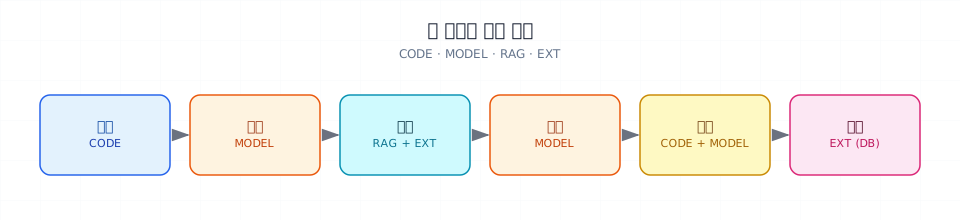
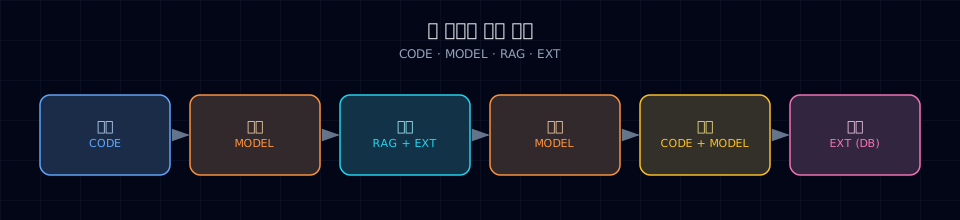
CODE: deterministic logic · MODEL: LLM call · RAG: embeddings + vector search · EXT: DB, API, messaging.
- Code — anything that has to be deterministic (rate limits, permissions, schema checks)
- Model — input where the phrasing varies infinitely
- RAG — knowledge the model couldn't have learned (your company's docs)
- External — actual data and actions live here (DB, ERP, Slack)
5. Worked example — a customer-support assistant¶
A refund inquiry, end to end:
User: "I bought earbuds last week. Can I get a refund? How?"
| Step | Block | What happens |
|---|---|---|
| 1 | Intake | POST /chat {user: 1234, msg: …} → rate limit OK |
| 2 | Understand | intent = "refund request" · entities = "earbuds", "last week" |
| 3 | Retrieve | RAG → refund policy doc · DB → user 1234's recent orders |
| 4 | Generate | "Order X is within 7 days, eligible for refund…" + procedure |
| 5 | Validate | PII filter passes · amount within policy cap |
| 6 | Persist | conversation ID stored · awaiting feedback |
| 7 | Observe | latency 1.8s · 1,200 tokens · cost $0.003 logged |
| 8 | Escalate | If user says "agent please," hand off immediately |
Drop any one block and you don't have a production system.
6. Hands-on — sketch your own assistant¶
Pick one assistant you actually want to build and design it on one page.
Step 1. Define the use case¶
- Name: ____
- Users: ____
- Three example inputs
- Three example outputs
Step 2. Pick the blocks you'll use¶
You can start with just intake, understand, generate, persist. Add the rest as you need them.
Step 3. Tag each block¶
Mark it CODE, MODEL, RAG, or EXT.
Step 4. Draw it¶
A whiteboard or notebook is fine — boxes and arrows. Minimum:
| Block | Implementation |
|---|---|
| User message | input |
| Intent classification | MODEL |
| FAQ search | RAG |
| Answer generation | MODEL |
| Log persistence | EXT |
Or use Figma, Excalidraw, draw.io — anything. The point is one page.
Step 5. Write 10 failure scenarios¶
Per block, "what if this breaks?" Examples: - Understand misclassifies the intent → wrong retrieval → unrelated answer - Retrieval returns nothing → don't say "sorry" — escalate to a human
These 10 failures are the seed of your eval set (Part 4).
7. Common pitfalls¶
Pitfall 1: putting all 8 blocks behind a single LLM call
"It's smart enough to handle everything." It isn't. Split the responsibilities so you can debug and evaluate.
Pitfall 2: punting on validation/guardrails
"Let's get something working and add safety later." That's the moment technical debt starts. A PoC without validation, shown to users, is unrecoverable trust loss.
Pitfall 3: no persistence layer, no feedback
Skip the persist block and you have no improvement data. Part 4 and the capstone become impossible.
Pitfall 4: no escalation path
"It's AI, no humans needed" — until something high-risk goes wrong and there's nowhere to escalate. Safety incident waiting to happen.
8. Production checklist¶
- Each block has an owner (team-level)
- Per-block SLOs (latency, accuracy, cost) are documented
- Block failure is contained — others keep running (circuit breaker)
- Escalation paths are actually tested
- Stored logs comply with your PII policy
9. Exercises¶
- Sketch the assistant you want to build as an 8-block diagram on one page
- Mark each block as must-have or optional and write one line on why
- Tag each block
CODE / MODEL / RAG / EXT - Write 10 failure scenarios and which block owns each
- Design the human-handoff path in one paragraph (when, to whom, how)
10. Part 1 wrap-up¶
What you've picked up:
| Ch | Took away | Used in |
|---|---|---|
| 1 | When models are worth the cost | every later chapter |
| 2 | How LLMs "think" | Part 2 (the API) |
| 3 | The 8-block assistant structure | Parts 2–7 (each goes deep) |
Part 2 is where the keyboard comes out. First API call, structured output, tool calling, streaming.