Ch 14. LangChain in Practice + Multimodal RAG¶

What you'll learn
- LangChain's RAG building blocks (Loader · Splitter · Embeddings · VectorStore · Retriever · Chain)
- LCEL (LangChain Expression Language) to assemble pipelines in one line
- Conversational RAG — search and respond while tracking chat history
- Multimodal RAG — index PDFs with layouts, images, and tables as searchable content
- Three production pitfalls: LangChain version instability · OCR quality ceilings · table parsing failures
- How Part 3 wraps up and bridges into Part 4
1. Concept — why a framework now?¶
Through Ch 11–13, we assembled RAG manually. You called openai.embeddings.create(...), col.query(...), and client.messages.create(...) one at a time.
LangChain glues these together like LEGO blocks. Order matters: understand the manual path first, then frameworks. That way, when things break or need tuning, you'll know what to tweak.
LangChain is a productivity tool, not a shortcut to understanding.
2. LangChain RAG components¶
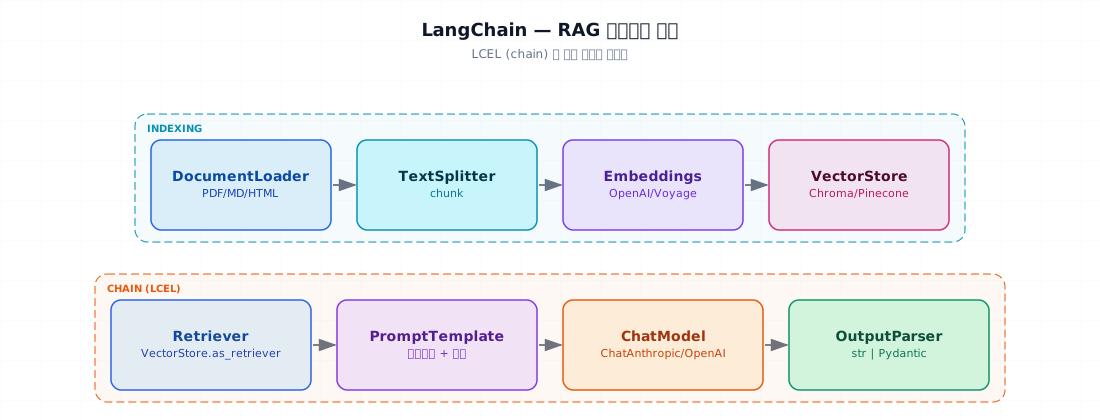
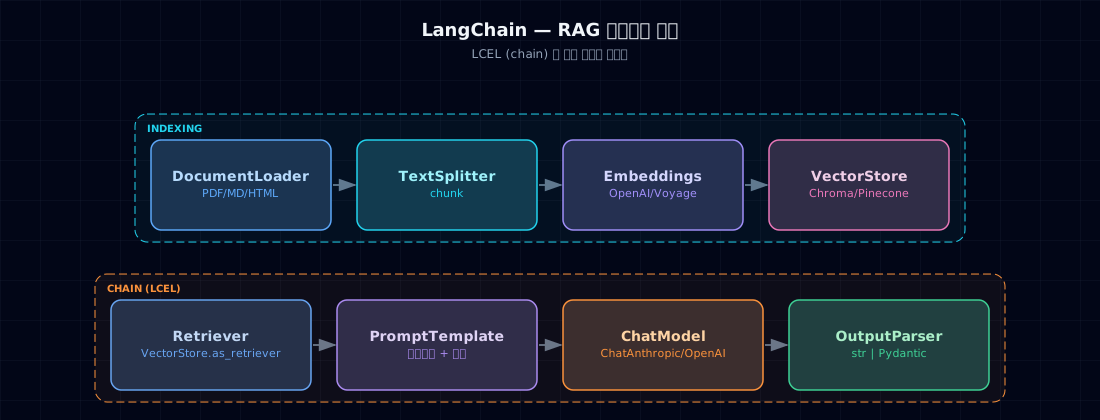
| Layer | LangChain Component | What we built by hand in Ch 11 |
|---|---|---|
| Indexing | DocumentLoader |
PyPDF · Path.read_text() |
TextSplitter |
Simple chunking (or RecursiveCharacterTextSplitter) |
|
Embeddings |
openai.embeddings.create(...) |
|
VectorStore |
Direct Chroma client | |
| Query | Retriever |
col.query(...) |
PromptTemplate |
f-string | |
ChatModel |
anthropic.Anthropic().messages.create |
|
OutputParser |
response.content[0].text |
LangChain's win: these components follow a standard interface, so you can swap one out for another in a single line (Chroma → Pinecone, for example).
3. When to use a framework¶
Advantages of hand-building (Ch 11–13 style)¶
- Full control and debugging visibility
- Minimal dependencies
- Freedom to tune performance
Advantages of LangChain¶
- Standard components for fast prototyping
- Official Retriever implementations (MultiQuery · ParentDocument · SelfQuery, etc.)
- Seamless connection to LangGraph (Part 5)
- Integrated tracing and eval with LangSmith (Part 4 & 6)
Our recommendation¶
- Learning and design: hand-build (Ch 11–13)
- Prototype: LangChain (this chapter)
- Production: hybrid — core blocks custom, periphery with LangChain
4. Minimal example — Ch 11's mini_rag in LangChain¶
Ch 11's ~40 lines compress to 15 or so. That's the LangChain payoff.
5. Hands-on¶
5.1 LCEL — assembling chains¶
Use the | operator to pipe stages together:
chain = prompt | model | parser     # Simple chain

# Parallel (map): send the same input to multiple chains, collect results
from langchain_core.runnables import RunnableParallel

chain = RunnableParallel(
    answer = retriever | prompt | model | parser,
    sources = retriever,            # Also return raw documents
)
LCEL gives you three wins:
- Async built in (
ainvoke,astream) - Streaming included (
.stream(...)) - Parallelism (RunnableParallel)
5.2 Conversational RAG — history-aware retrieval¶
Answer questions while remembering earlier turns:
- "Who approves it?" gets rewritten as "Who approves a refund?" — the retriever now finds the right docs.
5.3 Multimodal RAG — text + images¶
PDFs contain tables, diagrams, screenshots. Text-only extraction loses meaning.
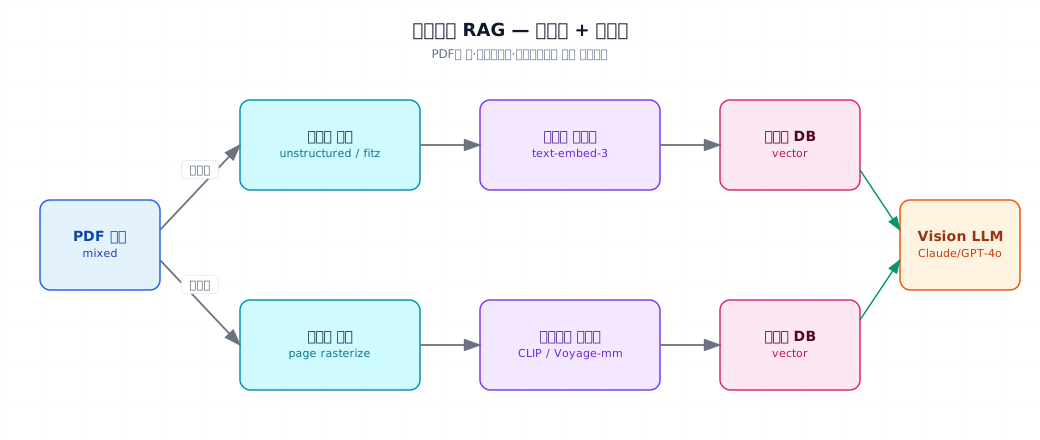
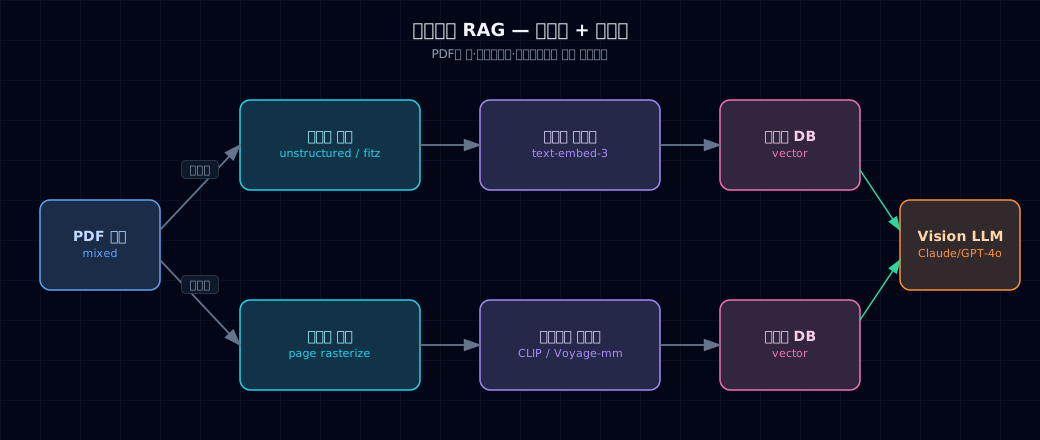
Two approaches:
- Embed images directly — CLIP · Voyage
voyage-multimodal-3 - Describe images with LLM — use Claude/GPT-4o to generate captions, then embed text
Approach 2 wins in production — better accuracy for domain-specific and multilingual search, simpler to operate.
- Image captions get indexed as text — they feed straight into the normal RAG pipeline.
5.4 PDF layout parsing — tables and structure¶
Extract tables, headings, and body text separately:
# Option 1: unstructured (high quality, optional paid API)
from unstructured.partition.pdf import partition_pdf

elements = partition_pdf(
    filename="report.pdf",
    strategy="hi_res",                 # Slow but accurate
    infer_table_structure=True,        # Preserve table structure
    extract_images_in_pdf=True,        # Also extract images
)

for el in elements:
    if el.category == "Table":
        # Tables get special handling
        index_text_chunk(el.metadata.text_as_html, source=..., doc_type="table")
    elif el.category == "Title":
        # Section titles define chunk boundaries
        ...
    else:
        index_text_chunk(str(el), source=...)
Other options:
- docling (IBM, 2024) — fast, accurate, open source
- PyMuPDF (fitz) — lightweight and quick, weaker at layout recognition
- Amazon Textract · Azure Document Intelligence — paid · multilingual support
6. Where things break¶
Pitfall 1. LangChain version churn
LangChain's API changes frequently. Code from a few months ago often breaks at the import stage.
Fix: pin exact versions in requirements.txt. New architecture splits across langchain-community · langchain-{vendor}.
Pitfall 2. OCR quality is the ceiling
Scanned PDFs, old documents, and non-English text accumulate OCR errors. Those errors flow straight into embeddings and retrieval.
Fix: (a) validate document quality (spot-check a sample), (b) preserve source text when available (convert to Markdown instead), (c) compare OCR engines (Tesseract · Google · Azure).
Pitfall 3. Table parsing fails silently
pypdf ignores table structure and dumps text as "A B C D 1 2 3 4" — useless.
Fix: use unstructured · docling with infer_table_structure=True · handle tables as separate chunks with a doc_type flag.
Pitfall 4. Vision LLM costs explode
Running every page through a Vision model costs $0.01–0.05 per page. One thousand pages = $50.
Fix: (a) select only pages with images, (b) use cheap Vision models like Haiku, (c) process incrementally (new docs only).
Pitfall 5. Expecting LangChain magic
Many components lead to "wire them together and it works" thinking. Without understanding internals, you can't diagnose bugs or performance.
Fix: always start with Ch 11–13 hand-built experience. Use LangSmith to trace what's flowing through the chain.
7. Operating checklist¶
- Pin
langchain*package versions (==or~=) - Check for deprecation warnings in the LangChain docs regularly
- Monthly spot-check on PDF pipeline quality (random sample, manual review)
- Log OCR · table parsing failure rates
- For multimodal, enforce page selection (images only)
- Enable LangSmith/Langfuse tracing (Part 6 Ch 27)
- Guard against vendor lock-in — keep core RAG blocks in hand-written code
8. Exercises¶
- Run both §4's LangChain version and Ch 11's
mini_rag.pyon the same documents; confirm outputs match - Build the §5.2 conversational flow for 3 turns; verify turn 2's pronoun references ("Can I do that one?") resolve correctly
- Apply §5.3 multimodal RAG to a PDF with images; test image-based questions ("What's Q3 revenue in that chart?")
- Compare
unstructuredandpypdfon a table-heavy PDF; observe the difference in table pages - Downgrade
langchainto an older minor version inrequirements.txt; watch imports break
9. Sources and further reading¶
- LangChain: python.langchain.com — official docs
- LangSmith: smith.langchain.com — tracing and eval
- unstructured: docs.unstructured.io
- docling (IBM): github.com/DS4SD/docling
- Voyage Multimodal 3: docs.voyageai.com/docs/multimodal-embeddings
- Stanford CME 295 Lec 7 — project
_research/stanford-cme295.md
10. Wrapping up Part 3¶
You've covered six chapters:
| Ch | Core idea |
|---|---|
| 9 | Why RAG — stale data, private data, freshness |
| 10 | Embeddings · vector search · Chroma |
| 11 | End-to-end pipeline (8 stages) |
| 12 | Hybrid · Reranking · Metadata filters |
| 13 | HyDE · Self-RAG · GraphRAG · Agentic RAG |
| 14 | LangChain · multimodal retrieval |
By now you should be able to:
- Build a Q&A bot over company docs (with citations)
- Tune a hybrid search pipeline with hyperparameters
- Implement at least one Advanced RAG technique and measure its impact
- Prototype conversational RAG in LangChain
- Index PDFs with layout, images, and tables (optional)
Next → Part 4. Evaluation, Reasoning Quality, and Debugging
You've built RAG. But does it actually work? Evaluation sets · LLM-as-a-Judge · self-consistency · failure analysis — the science of quality.