Ch 25. Multi-Agent Systems and Role Separation¶

What you'll learn
- Manager vs Decentralized patterns — when to use each
- Three role-separation examples — Planner/Executor · Researcher/Writer · Verifier/Responder
- The hard criteria for splitting agents — exactly when you should
- The three failure modes of multi-agent systems (context loss · infinite handoff · unclear ownership)
- The signal to merge back — when to fold multi-agent into a single strong prompt
- Part 5 graduation checklist — five ways to know you're done with agents
Prerequisites
Ch 20–Ch 24. You have a single-agent loop working, tool schemas defined, a state graph, and memory. Now we split only when absolutely necessary.
1. Concept — What "splitting" actually means¶
Multi-agent doesn't mean "call LLMs multiple times." That's the Workflow patterns from Ch 21 (chaining and orchestrators).
Multi-Agent = Each agent runs its own loop, tool set, and system prompt, and they call each other or hand off turns.
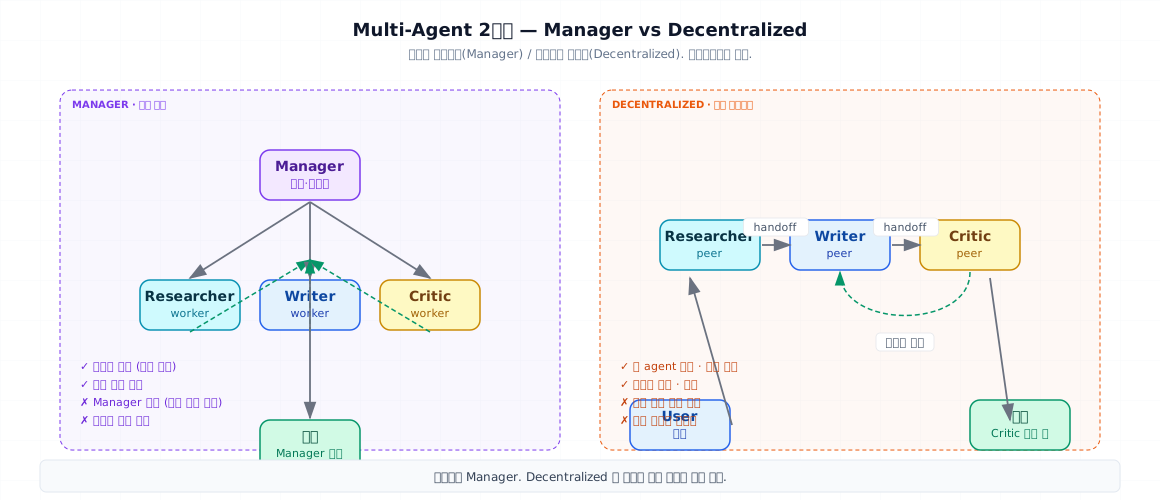
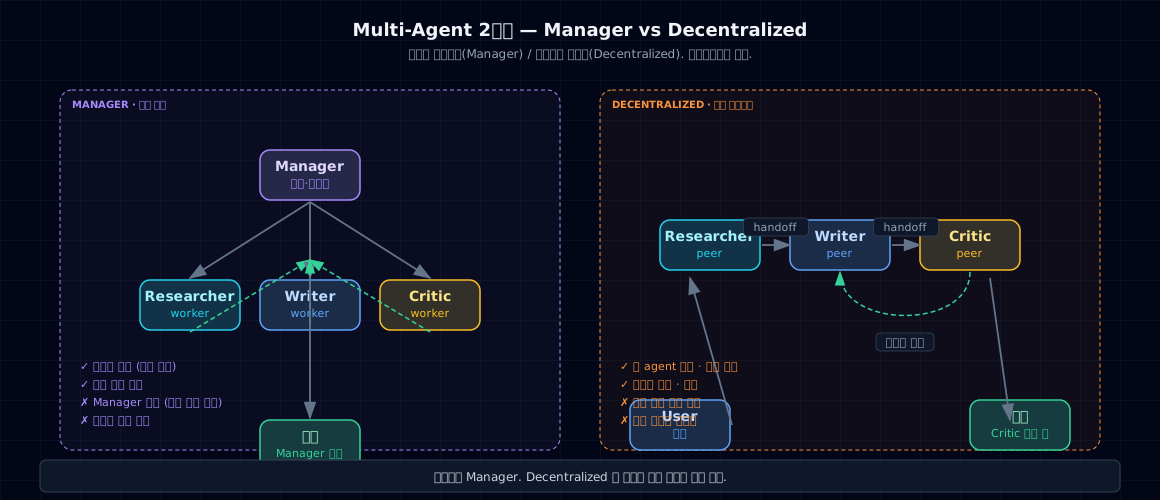
OpenAI's "A Practical Guide to Building Agents" breaks multi-agent into two patterns:
| Pattern | Structure | Example |
|---|---|---|
| Manager | Central agent calls sub-agents as tools | Manager directs researcher and writer |
| Decentralized | Peers hand off to peers | Customer support → billing → shipping relay |
Manager is the default. Pick decentralized only when you're confident the problem truly breaks into peer domains.
2. Why you need it — the real reasons to split¶
The tempting reasons to split (usually wrong): - "More agents means more specialization" - "Code becomes modular and easier to maintain" - "Different prompts for each role improves quality"
The actual reasons to split (rare but decisive):
① System prompts contradict. You can't ask a single prompt to be "creative" and "only factual" at once. Split them.
② Tool sets are large and unrelated. A single agent sees many overlapping descriptions and chooses unreliably (Ch 22). Split by responsibility when evals show routing failures.
③ Independent failure and recovery matter. Researcher fails → writer waits and retries the researcher. Isolated failure boundaries.
④ Different models make economic sense. Planner uses Opus, five executors use Haiku. Optimize cost and latency.
You need 2+ of the above conditions. If not, stick with a single agent and a sharper prompt.
3. Where you see it — three role-separation examples¶
3-1. Planner / Executor¶
- Planner: Breaks goals into steps (Opus)
- Executor: Runs each step with tools (Haiku)
- Resembles the Orchestrator-Workers pattern from Ch 21, but executor is its own autonomous loop
3-2. Researcher / Writer / Critic¶
- Researcher: Gathers information (search, database)
- Writer: Drafts prose (text generation)
- Critic: Evaluates quality (reuse the Judge from Ch 17)
- Typical in automated report generation
3-3. Verifier / Responder¶
- Responder: Answers the user
- Verifier: Checks if response violates internal policy (guardrails, preview of Part 6 Ch 28)
- Can run in parallel
4. Minimal example — Manager pattern with two agents¶
- Sub-agents are functions but have their own internal loops and tools. To the manager, they're a black box.
- Expose via tool schema — the manager treats this exactly like any other tool.
- We execute the sub-agent — follow the ACI principles from Ch 22 exactly as before.
Core insight: From the manager's perspective, a sub-agent is just a tool. Internal complexity is hidden.
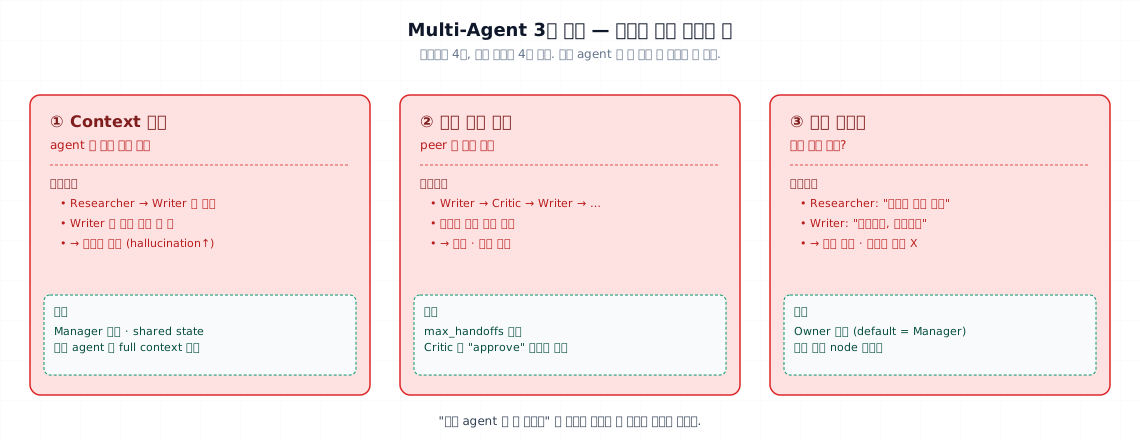
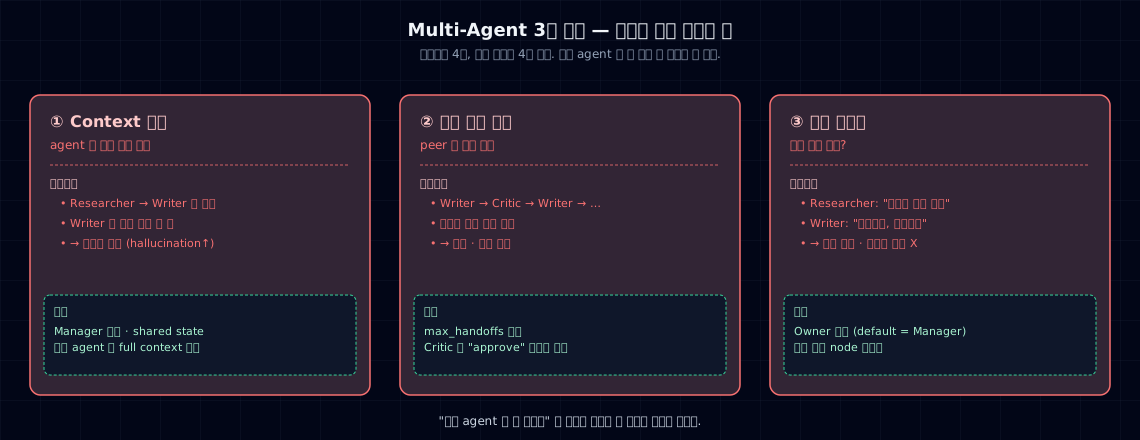
5. Field guide — three failure modes and how to prevent them¶
5-1. Context loss¶
Symptom: Researcher reads a 10-page source → passes a 3-sentence summary to writer → writer can't answer follow-ups. Summaries collapse to summaries.
Prevention:
- In manager mode, store the full source in shared state (LangGraph's State) → all agents can fetch it
- When handing off, send source reference IDs alongside the summary → writer can re-query on demand
5-2. Infinite handoff loop¶
Symptom: Writer → Critic "needs revision" → Writer → Critic "still needs work" → ... 10 times. Cost × 10.
Prevention:
- Set max_handoffs=3 hard limit
- Give Critic an explicit "approve" action; if not, escalate to Manager
- Use LangGraph's interrupt_before='critic' to gate with a human decision
5-3. Unclear ownership¶
Symptom: Researcher says "here's the data" · Writer says "not enough, give me more" · Researcher says "more of what?" Nobody closes the loop.
Prevention: - Designate an owner — usually the Manager, or the "final agent" in decentralized mode - Ensure the response to the user comes from one node only (multiple sources confuse users)
5-4. Signal to merge back¶
If 2+ of these apply, fold multi-agent back into a single agent with a strong prompt:
- Context is duplicated and bloated on every handoff
- 50%+ of failures happen at handoff boundaries between agents
- A single-agent version achieves the same quality for less cost
- Debugging requires "which agent broke?" investigation every time
6. Common pitfalls¶
6-1. Splitting before validating single-agent¶
"I'll build a report generator with 3 agents from day one" — worst idea. Start with one agent, find failure modes, then decide if splitting helps.
6-2. Decentralized instead of Manager¶
Decentralized feels flexible but becomes a debugging nightmare. Production is 80%+ Manager. Peer handoff is only for truly flat domains (billing ↔ shipping).
6-3. No max_handoffs limit¶
Same principle as max_steps in Ch 20. Without a ceiling, infinite loops are free. Use max_handoffs=3–5.
6-4. Mixed models without eval discipline¶
Manager uses Opus, workers use Haiku — the savings are real, but evaluation gets twice as complex. "Which model is bottlenecking?" requires separate eval per model. Extra work in Part 4.
6-5. Cute names instead of version-safe names¶
"Alice is telling Bob" makes for nice logs, but digit-based names (researcher_v2) scale better for operations and versioning.
7. Production checklist¶
- You've measured single-agent baseline performance before splitting
- Splitting is justified by 2+ conditions from § 2
- You chose Manager as the default (decentralized choice is documented separately)
-
max_handoffsandmax_stepshave hard limits - Context hand-off is guaranteed via shared state or reference IDs
- One node produces the final response (no user confusion)
- Each agent's failure is isolated (one failure doesn't crash the whole system)
- You've measured quality, cost, and latency against single-agent baseline
- You check the merge-back signals (§ 5-4) quarterly
- Traces have an
agent_namefield for independent analysis
8. Exercises¶
Comprehension¶
- Explain why needing 2+ of the four splitting conditions is a meaningful threshold.
- Compare debugging difficulty: Manager vs Decentralized. Which is worse and why?
- For each of the three failure modes (context loss · infinite handoff · unclear ownership), name one prevention tactic.
- Which "merge-back" signal (§ 5-4) most applies to a system you've built?
Hands-on¶
- Implement the Manager pattern from § 4 for a report generator: Researcher + Writer
- Build the same system as a single agent. Compare quality, cost, and latency.
- If single-agent is good enough, throw away the multi-agent version and document the decision.
Sources¶
- OpenAI — A Practical Guide to Building Agents — Manager vs Decentralized taxonomy. In project
_research/openai-practical-guide-to-agents.md - Stanford CS329A Lecture 7 — Open-Ended Evolution of Self-Improving Agents. In project
_research/stanford-cs329a.md - Anthropic — Building Effective Agents — "Use agents when needed, not by default". In project
_research/anthropic-building-effective-agents.md
9. Part 5 summary — Agent graduation checklist¶
Where Part 5 leaves you:
| Ch | Topic | Deliverable |
|---|---|---|
| 20 | What is an agent? | OpenAI's three elements · autonomy levels · loop checklist |
| 21 | Seven agent patterns | Five workflow + two pure-agent · decision tree · 5–15 line snippets |
| 22 | Tool use in practice | ACI framework · three hazard classes with risk levels · approval queues |
| 23 | LangGraph | StateGraph · checkpointer · interrupts · time-travel playback |
| 24 | Agent memory | Thread/Store two-layer system · extraction and loading · PII handling |
| 25 | Multi-agent systems | Manager vs Decentralized · three failure modes · merge-back signals |
You've graduated Part 5 when you can:¶
- Build a single-agent loop (max_steps, tool_result errors, trace inspection) at least once
- Deploy at least one workflow pattern (Routing / Chaining / Evaluator-Optimizer) on a real task
- Compose a LangGraph StateGraph for a multi-branch flow (like customer inquiry triage) using checkpointer
- Store and retrieve user preferences in the Store with PII masking in mind
- Expand to multi-agent only when necessary, with a documented performance comparison vs single-agent
Next — Part 6. Production AI Assistants¶
You have agents. Now make them actually operational: seven guardrails, cost and latency tuning, monitoring, user feedback loops, and releases. Part 5 is capability. Part 6 is safety, efficiency, and lifespan.