Ch 23. LangGraph — State Graphs¶

What you'll learn
- StateGraph — nodes · edges · conditional edges · reducers
- Checkpointer — saving state after every node (SqliteSaver / Postgres)
- Thread ID — persistent conversations · resuming execution
- Interrupt — pausing an agent, waiting for human approval, then resume
- Streaming — progressive responses per node (for UX)
- Overengineering pitfalls · conditional edge hell · exceptions during streaming
Prerequisites
Ch 22 — approval chains. This chapter implements that approval pattern using LangGraph's standard approach.
1. Concept — graphs instead of loops¶
The agents in Ch 20–22 use while loops. Simple, but production systems need more:
- Shared state: multiple nodes reading and writing the same state
- Checkpoints: recovery from mid-execution failures and restarts
- Branching and parallelism: conditional routing and independent concurrent tasks
- Human gates: pausing mid-flow to wait for approval
- Streaming: real-time progress to the UI
Rolling your own becomes spaghetti fast. LangGraph is the standard framework for these patterns.
StateGraph = state schema + node functions + edge connections + checkpointer.
2. Why you need it — loops vs. graphs¶
Loop limitations: - State is implicit (scattered across variables) → hard to reproduce and debug - Failures restart from the beginning (long agents cost more and add latency) - Can't insert human approval mid-flow
Graph advantages: - State is explicit TypedDict → type checking and trace tracking - Checkpoint after every node → resume from the failure point - Interrupt in one line - Trace is automatic (LangSmith integration)
Cost: learning curve plus library dependency. At product scale, the gains outweigh the cost.
3. Where you use it — StateGraph anatomy¶
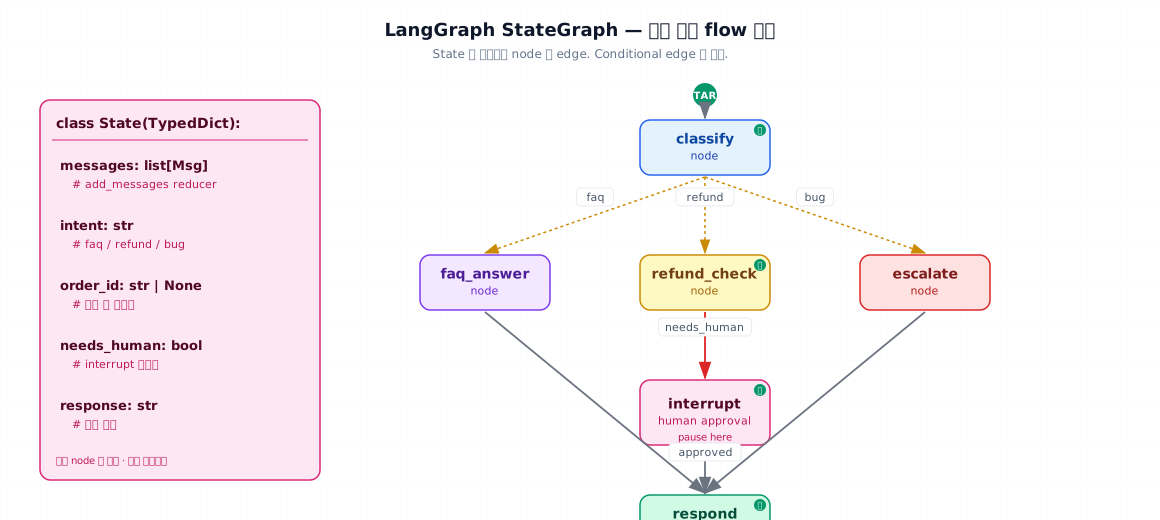
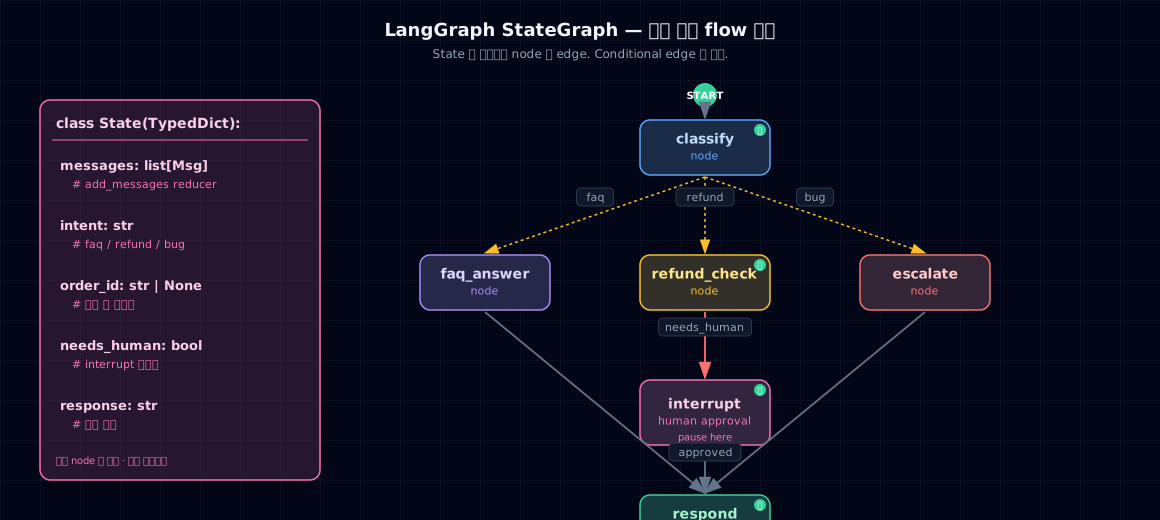
3-1. Building blocks¶
| Element | Purpose | Example |
|---|---|---|
| State | Shared memory (TypedDict) | messages · intent · needs_human |
| Node | Function that reads state and returns updates | classify_intent(state) -> {'intent': 'refund'} |
| Edge | Flow between nodes | START → classify → respond → END |
| Conditional Edge | Check state and choose next node | intent == 'refund' → refund_check |
| Reducer | Rule for merging state updates | add_messages (append to list) |
| Checkpointer | State storage backend | SqliteSaver · PostgresSaver |
| Thread ID | Session identifier | {'configurable': {'thread_id': 'user-42'}} |
3-2. When to use StateGraph vs. something simpler¶
- Single LLM call: overkill. Just a function.
- Pure chaining (A→B→C, no branching): LCEL is simpler
- Truly autonomous agent (LLM decides everything): Ch 20 loop + Ch 22 tools is enough
- Complex state · approval · resumption: ✅ StateGraph
4. Minimal example — three-bucket customer support graph¶
Intent classification → (FAQ / Refund / Bug) routing → response. Refunds trigger an interrupt.
- State — The key is
Annotated[list, add_messages]. The reducer handles appending automatically. - Node — Takes state and returns only the fields you're updating. Don't overwrite the entire state.
- Router — The function that decides the next node based on state. Return value is the next node's name.
- add_conditional_edges — Register multiple branches at once.
Running it¶
| run_graph.py | |
|---|---|
Same thread_id = conversation continues (state is restored).
5. Hands-on — Interrupt and resume¶
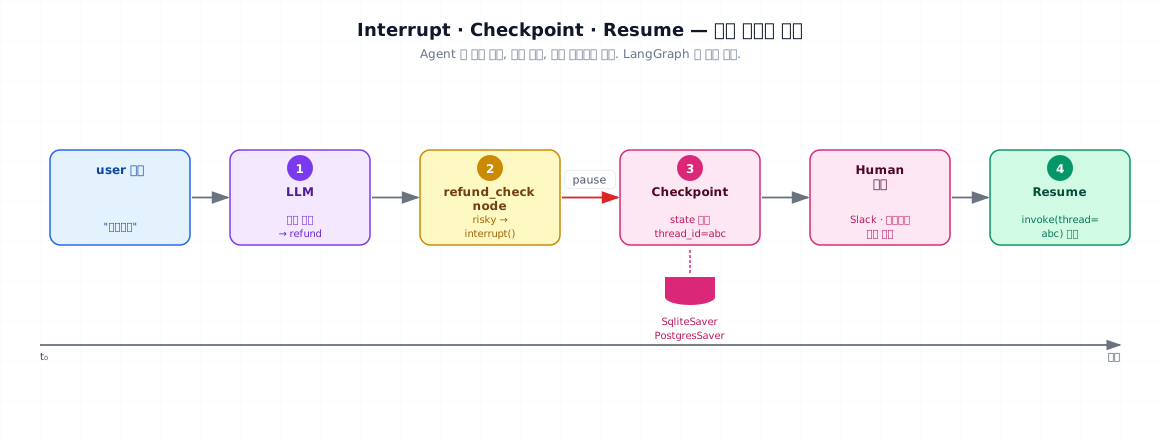
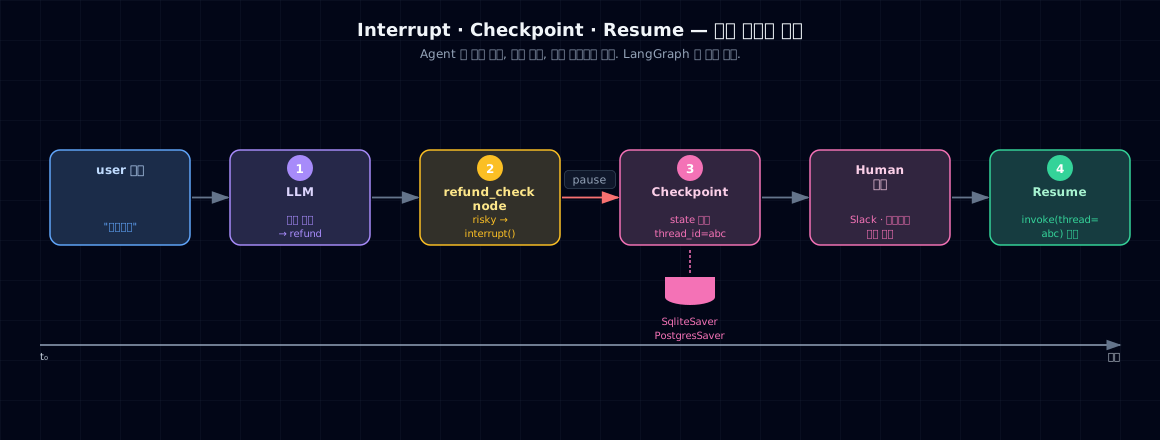
5-1. Adding a gate with interrupt_before¶
Pause the graph before entering a node that needs approval.
- interrupt_before — Pause just before entry.
interrupt_afteralso available. - invoke(None, config) — Means "pick up where you left off." Checkpointer restores state.
5-2. Real-world operation pattern¶
| # | Time | Action | State |
|---|---|---|---|
| 1 | User request | graph.invoke(...) first call |
— |
| 2 | Classify runs | Determine routing | — |
| 3 | interrupt_before='refund_check' |
Pause + save state | State stored in DB |
| 4 | Return | Alert operator (Slack/dashboard) | — |
| 5 | ~10 min later, operator approves | Webhook triggered | — |
| 6 | graph.invoke(None, {'thread_id': ...}) |
Resume | State restored from DB |
| 7 | refund_check runs | Call tools | — |
| 8 | respond runs → END | Send to user | — |
Key: just thread_id is needed, and intermediate state lives in the DB, so restarts and recovery are free.
5-3. Streaming — real-time UX¶
| stream_graph.py | |
|---|---|
Emits a chunk after each node completes. Show "Classifying… Writing response…" progress to the user.
5-4. Time travel — reset to an earlier checkpoint¶
Useful for debugging and A/B testing.
6. Common failure modes¶
6-1. Overengineering StateGraph¶
A three-node flow that turns into 10 nodes with 7 conditional edges. LCEL and plain functions handle most of this. Only reach for StateGraph if at least two of these three are required: shared state, checkpoints, interrupts.
6-2. Conditional edge hell¶
Too many add_conditional_edges(X, router_fn) calls make flow hard to visualize. Split into two subgraphs if you exceed 5 conditionals.
6-3. Overwriting entire state¶
If a node returns return state, it wipes everything (bypassing the reducer). Always return only the fields you're updating: return {'intent': 'refund'}.
6-4. Missing checkpointer¶
checkpointer=None means interrupt, resume, and threading won't work. Use SqliteSaver(':memory:') for dev, PostgresSaver for production.
6-5. No error handling during streaming¶
Node throws an exception → stream stops → UI hangs. Wrap nodes in try/except, set an error state field, and let the next node route based on it.
6-6. Careless thread ID design¶
thread_id = user_id means two conversations by the same user get mixed up. Use thread_id = f'{user_id}:{session_id}' to include the session.
7. Production checklist¶
- Is state schema a TypedDict with type checking?
- Do nodes return only updated fields? (not the entire state)
- Is checkpointer configured for production DB (Postgres)?
- Is
thread_idunique per session, not just per user? - Is the interrupt point placed before the approval-required node?
- Does each node have try/except plus an error state field?
- Have conditional edges been reviewed for refactoring (>5 = split into subgraphs)?
- Are traces enabled (LangSmith / Langfuse)?
- When streaming, does the UI distinguish chunk types (updates/values/messages)?
- Is time travel actually necessary (debugging / A/B)? (Usually not.)
8. Exercises and next chapter¶
Review questions¶
- Name three scenarios where a plain function chain is enough instead of StateGraph.
- Explain the difference between conditional edges and regular edges, and what the router function returns.
- When using
interrupt_before, where is state stored, and which API resumes it? - Sketch a concrete scenario showing the risk of
thread_id = user_idalone.
Hands-on¶
- Run §4's support graph in Colab. Call it twice with
thread_id='u1'→ verify state continues. - Add the interrupt pattern from §5-1. Confirm that
invoke(None, cfg)actually resumes. - Use
app.get_state_history(cfg)to list checkpoints, pick one, and time-travel it.
References¶
- LangGraph official docs — Persistence · Interrupt · Time Travel. Archived in
_research/langgraph-persistence.md - Anthropic — Building Effective Agents — boundary between workflows and agents. Archived in
_research/anthropic-building-effective-agents.md
Next → Ch 24. Agent Memory — thread memory / cross-thread · episodic · MemGPT layers