Ch 11. The Full RAG Pipeline¶

What you'll learn
- RAG's two stages — Indexing (document prep) + Query (execution)
- Document collection · chunking · embedding · storage · retrieval · augmentation · generation · citation
- Build one end-to-end working system with a small PDF set
- The three gotchas: chunk boundaries cut mid-sentence · citation hallucination · context overflow
1. Concept — RAG is two stages¶
The first mistake is treating RAG as a black box: "feed documents, get answers." Split it into two stages instead.
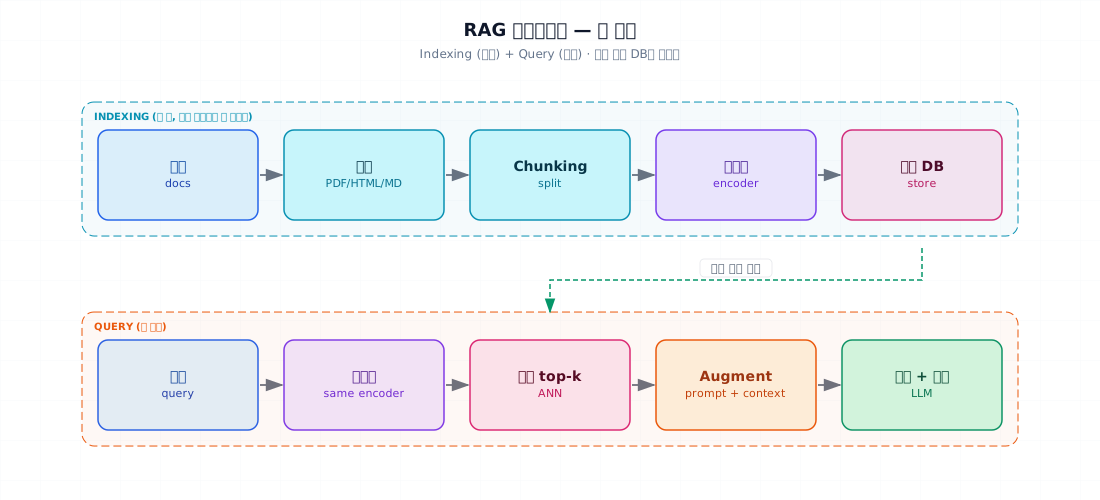
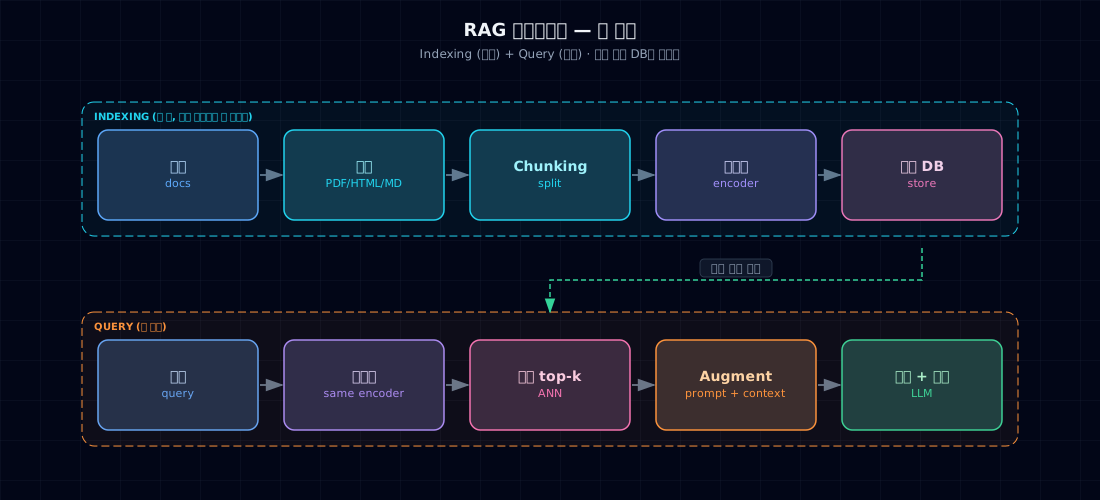
| Indexing (prep) | Query (execution) | |
|---|---|---|
| When | Once when documents are added or changed | Every time a user asks |
| Cost | Batch (offline OK) | Real-time (p95 goal: 1–2 sec) |
| Steps | Load → chunk → embed → store | Embed query → retrieve → augment prompt → generate |
| Connection | Vector DB — both share the same embedding space |
Separating them cleanly means batch pipelines (indexing) and live services (query) can be tuned independently.
2. Why split it this way¶
Real bugs live between stages:
- Document load returns malformed text (PDF tables · OCR garbage) → chunking breaks → empty embeddings
- You swap embedding models but leave the vector DB alone → dimension mismatch
- Retrieval works fine but augmentation overflows tokens partway through
Every stage must be observable to fix anything.
3. Where it's used¶
Real-world examples:
- Internal knowledge Q&A bots — Notion / Confluence / Google Drive docs end-to-end
- Support assistants — FAQs · product manuals · policies
- Codebase QA — source + README + commit messages
- Legal / medical search — case law · papers (citation required)
4. Minimal example — 8 steps end-to-end¶
Start with two tiny policy documents:
Expected output:
You can request a refund within 7 days of purchase with manager approval.
If the product was used for 5+ consecutive days, you'll also need executive approval.

Citation: [policy.md#refund]
That's all there is. The rest of Part 3 is about raising the quality, speed, and scale of each stage.
5. Hands-on¶
5.1 Document collection — loaders by format¶
PDF gotchas
pypdf extracts text only. Tables, images, formulas break. For production, compare unstructured · docling · PyMuPDF (fitz).
5.2 Chunking strategies¶
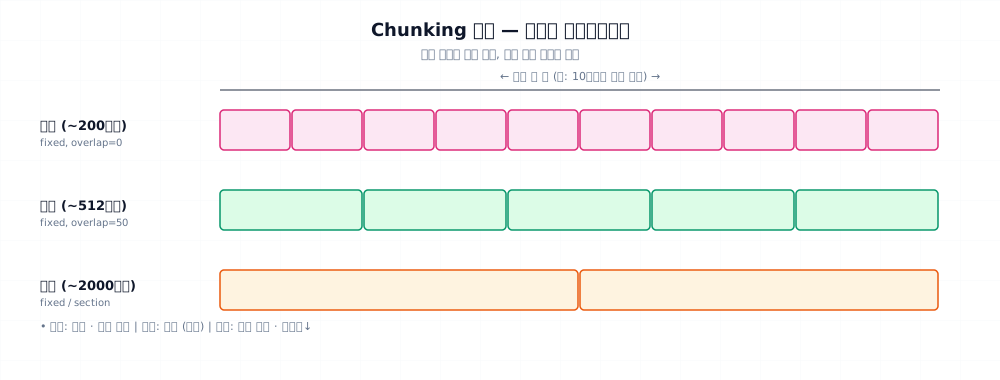
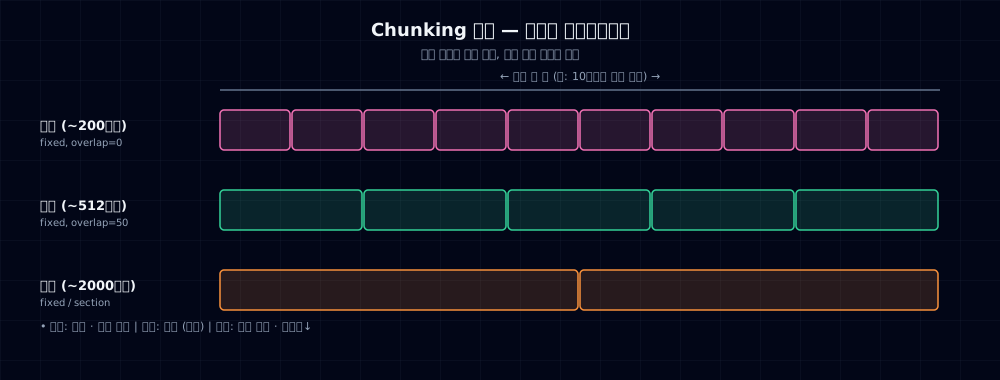
Production recommendation:
| Strategy | Description | When |
|---|---|---|
| Fixed size | Cut every N tokens with overlap | Recommended starting point |
| By section | Respect heading / paragraph boundaries | Structured docs (Markdown, HTML) |
| Semantic | Cut at meaning shifts | Quality-first scenarios |
| Sliding window | Small chunks + heavy overlap | Prioritize retrieval recall |
With LangChain:
- Priority: paragraph → line → sentence → space. Respects boundaries to minimize semantic loss.
5.3 Storage + metadata for citation¶
To track where each fact came from, metadata design is critical.
Use metadata filters on retrieval:
5.4 Augmentation — formatting for the prompt¶
How you inject retrieval results into the prompt shapes generation quality.
XML tags draw clear boundaries — the model won't confuse documents with user input (defense against prompt injection).
5.5 Enforce citations¶
If the answer comes back without citations, auto-requery:
5.6 Token budget management¶
Enforce max_tokens and context budgets:
| token_budget.py | |
|---|---|
6. Common pitfalls¶
Mistake 1. Chunk boundaries cut sentences in half
Fixed-length cuts often split a sentence mid-word. Embedding quality · answer accuracy both suffer.
Fix: use RecursiveCharacterTextSplitter to respect paragraph → line → sentence boundaries. Add 50–100 character overlap to preserve context across boundaries.
Mistake 2. Citation hallucination
You prompt "cite your source" but the model invents [sources] that don't exist.
Fix: (a) list allowed sources in the prompt, (b) validate citations after generation (must be in actual retrieval results), (c) use LangChain's citations feature.
Mistake 3. Context overflow
You dump top-10 results straight into the prompt → exceeds context window → error.
Fix: cap k (5–10) + token limit per chunk + budget calculations. If over, summarize or drop results.
Mistake 4. Document updates don't show up
You edited the PDF/Markdown but it's not in the search results. Needs re-embedding and vector DB upsert.
Fix: compare file hashes → incremental re-embedding pipeline for only changed files. Cron or Git hook trigger.
Mistake 5. Sensitive docs leaked into the index
Salary tables · PII slips into the RAG corpus → anyone can find it via retrieval.
Fix: classify documents → split by sensitivity into separate collections + metadata-based permissions. Safest: don't index sensitive data at all.
7. Production checklist¶
- Indexing pipeline automated (detect changes → re-embed → upsert)
- Incremental updates — don't re-embed everything
- Chunking parameters logged (size, overlap, separators) — reproducibility
- Metadata schema documented (source · updated_at · owner · doc_type · lang)
- Citation validation — verify [source] in response actually came from retrieval
- Token budget dashboard — break down system / retrieval / query / response · flag overages
- Low-recall logs — collect cases where top-k scores are low (signals missing content)
- Permission filtering — separate collections by user group or access level
8. Exercises¶
- Run §4's
mini_rag.pyand build a bot with 5–10 of your own docs - Apply 2 of the 4 chunking strategies from §5.2 to the same document and compare retrieval quality
- Deliberately trigger citation hallucination (demand fake [sources]) and verify §5.5 catches it
- Simulate document update — edit the original, add incremental re-embedding code
- Vary top-k: 1 / 5 / 20. Compare answer quality, token spend, and latency
9. Sources and further reading¶
- LangChain RAG Tutorial: python.langchain.com/docs/tutorials/rag
- LlamaIndex (RAG-focused framework): docs.llamaindex.ai
- Anthropic "Adding context with RAG": docs.anthropic.com
- Chunking strategies: Pinecone blog "Chunking Strategies for LLM Applications"
- Stanford CME 295 Lec 7 — project
_research/stanford-cme295.md
Next → Ch 12. Improving Retrieval Quality
You've got the basic pipeline working. Now we diagnose why retrieval fails and use hybrid search and reranking to pull better documents into the prompt.