Ch 24. Agent Memory¶

What you'll learn
- Four memory layers — Sensory · Working · Episodic · Semantic
- LangGraph's Thread (within a session) and Store (across sessions) — mapping to the four layers
- Auto-extracting user preferences → saving to Store
- Hierarchical memory concept from MemGPT — swapping memory when context overflows
- Three critical pitfalls: memory pollution · PII accumulation · wrong auto-summaries
Prerequisites
Ch 23 — StateGraph · checkpointer · thread_id. This chapter goes beyond that thread state.
1. Concept — Memory isn't monolithic¶
Saying "give the agent memory" is too vague. We get clarity by borrowing the human memory structure and splitting it into four layers.
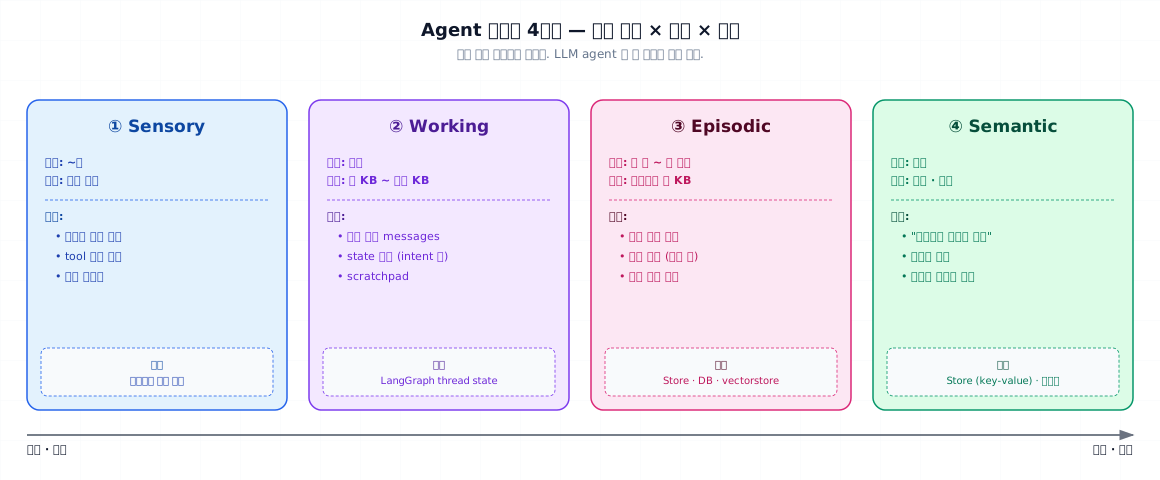
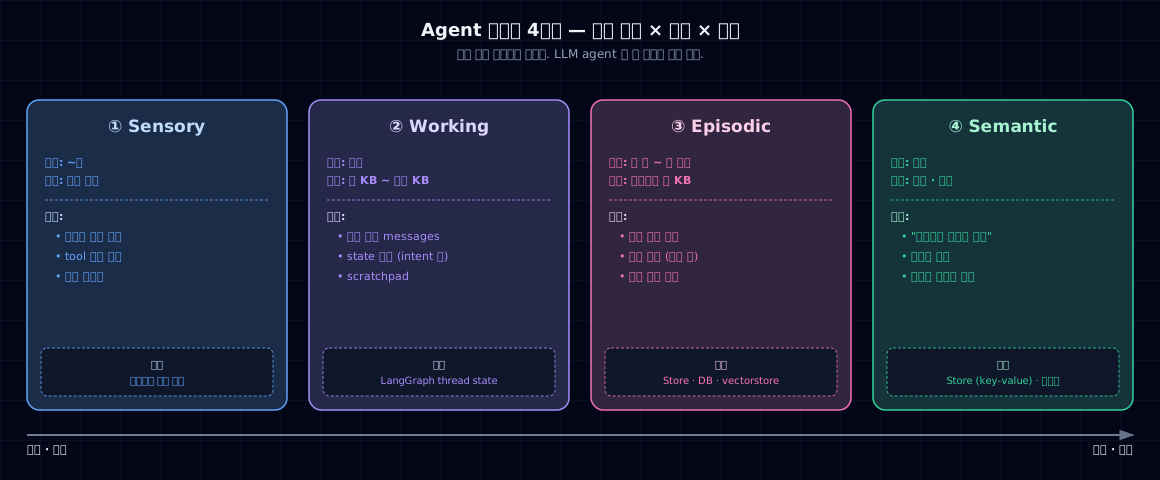
| Layer | Lifespan | Size | Example | LLM implementation |
|---|---|---|---|---|
| ① Sensory | ~seconds | Raw input | Just-heard utterance · tool result | Context tokens right before |
| ② Working | Session | Kilobytes+ | Current conversation · scratchpad | LangGraph thread state |
| ③ Episodic | Weeks–months | Per event | Past conversations · specific incident | Store · vectorstore |
| ④ Semantic | Permanent | Knowledge · preference | "User prefers Korean replies" · domain rules | Store key-value · profile |
The key insight: each layer has different storage and retrieval strategies. Throw everything in one DB and you'll tangle both lookup and deletion policy.
2. Why you need it¶
① Context window ceiling. Long conversations don't fit. You need to summarize Working → archive to Episodic.
② Personalized experience. "Didn't you tell me this last time?" shouldn't repeat. Semantic memory stores preferences once.
③ Learning and improvement. Archive common failure patterns to Episodic so you have a failure analysis (Ch 19) data source.
④ Cost and latency. Stuffing every turn's full history into the prompt = tokens × N. Summarize + targeted retrieval cuts that down.
3. How to use it — LangGraph's two-layer abstraction¶
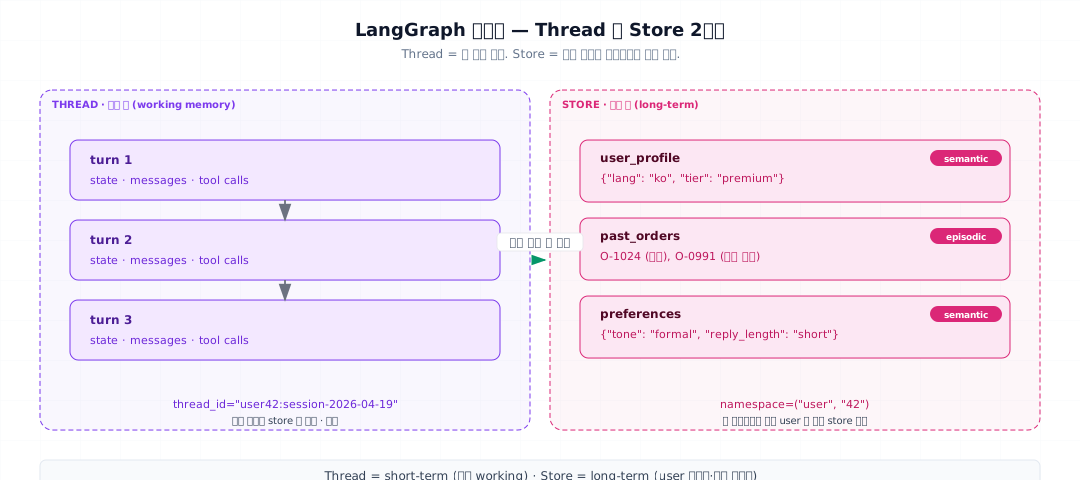
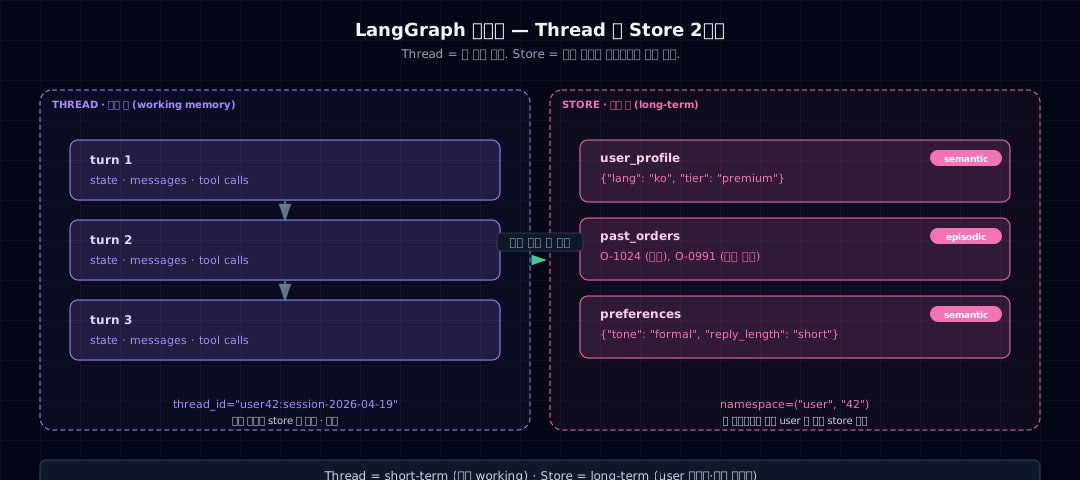
LangGraph maps the four layers onto Thread and Store — two APIs.
3-1. Thread — Working memory¶
- Keyed by
thread_id(from Ch 23) - Holds state from session start to end
- Stored in the checkpointer (supports interrupt/resume)
- Usually summarized and migrated to Store when the session closes
3-2. Store — Episodic + Semantic¶
- Keyed by
namespace(e.g.,('user', '42')) - Shared across multiple sessions and threads
- Supports both key-value (semantic) and vectorstore-backed (episodic search) lookups
- LangGraph
BaseStoreinterface:put·get·search·delete
3-3. What goes where¶
| Information | Layer | Storage |
|---|---|---|
| Previous turn in current conversation | Working | Thread state (automatic) |
| "I prefer replies in Korean" | Semantic | Store preferences |
| "Refund inquiry on 2026-04-10" | Episodic | Store past_events |
| Small talk from yesterday | → discard | Don't store |
4. Minimal example — Store user preferences¶
- InMemoryStore is for testing. Use
PostgresStoreorRedisStorein production. - Namespace design — use hierarchical keys like
('user', uid). You can batch-query by prefix.
Using it inside a graph¶
- Node signature includes
store— LangGraph injects it automatically. - Pass
store=to compile — separate from checkpointer.
5. Real-world tutorial — Auto-extract user preferences¶
During conversation, detect phrases like "please reply in Korean" and automatically update Store.
- Merge before saving — never overwrite; preserve existing fields.
Auto-load on next conversation¶
| load_preferences.py | |
|---|---|
Flow: load_preferences → classify → ... → extract_preferences → END
Hierarchical memory à la MemGPT (concept)¶
When conversation history exceeds context:
1. Summarize older turns → push to Store
2. Remove from working state
3. On demand, call retrieve_old_context tool to reload
This isn't built into plain LangGraph — you implement it yourself. See research in CS329A Lec 14.
6. Common failure modes¶
6-1. Dumping everything into Working¶
1,000 conversation turns in thread state → context overflow → cost and latency explode. Summarize + migrate to Store is mandatory.
6-2. Blind PII accumulation in Store¶
Emails · ID numbers · credit card numbers auto-extracted and saved = GDPR and PIPA violations. Add "exclude sensitive data" to your extraction prompt and mask PII before saving.
6-3. Wrong auto-summaries permanently locked in long-term memory¶
One bad summary hits Store → all future sessions use that wrong premise. Solutions:
- Get human confirmation before saving summaries
- Add confidence field to Store items; periodically re-validate low ones
- Expose edit and delete APIs to users ("manage my memories")
6-4. Namespace collisions¶
Only using ('user', uid) while another agent uses the same key → overwrites. Namespace all the way: ('user', uid, 'support_agent').
6-5. Mixing up vectorstore and key-value¶
Semantic search (e.g., "find refund-related incidents from the past") needs vectorstore. Exact lookup (e.g., "what's the user's preferred language") needs key-value. If you need both, use two stores.
6-6. No TTL or deletion policy¶
Six-month-old episode memories keep piling up → DB bloat · search noise. Add expires_at to Store items and run a batch delete job.
7. Operations checklist¶
- Documented which of the four memory layers you're using
- Boundary between Working (thread) and Store (namespace) is clean
- PII exclusion prompt + masking before save in place
- Human confirmation before storing summaries
- Namespace is hierarchical down to app/feature level (prevents collisions)
- Delete and edit APIs exposed to users ("manage my memory")
- Episodic layer has TTL and batch-delete jobs
- Chose the right backend (vectorstore vs. key-value)
- Thread → Store migration routine at session end
- Metrics: Store calls per session · token impact
8. Exercises & next chapter¶
Quick check¶
- Pick one piece of information from your prototype and classify it into each of the four memory layers.
- Explain the difference between Thread and Store across three axes: storage · lifespan · scope.
- You find a stored summary was wrong. Walk through three fixes: user-side · system · next release.
- Why is using only
user_idin a namespace design risky?
Hands-on¶
- Add an
extract_preferencesnode to the graph in §4. Verify it saves to Store after "reply in Korean" utterance. - Open a new session (different thread). Confirm
load_preferencesauto-injects into system prompt. - Use
store.deleteto remove one preference. Verify it doesn't affect the next conversation.
Sources¶
- Stanford CS329A Lec 14 — Augmenting Agents with Memory (Cartridges · MemGPT · CacheBlend). See project
_research/stanford-cs329a.md - LangGraph official docs — Store · Long-term memory. See project
_research/langgraph-persistence.md
Next → Ch 25. Multi-Agent and Role Separation — Planner/Executor · when to split